Last Updated: September 1, 2026
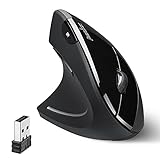
- Top Pick: Perixx PERIMICE-713L, Wireless Ergonomic Left Handed Vertical Mouse, 6 Buttons Design, 3 Level DPI, Black, Medium
- Best Value: ELECOM EX-G Left Handed Trackball Mouse, 2.4 GHz USB Wireless, Ergonomic, Thumb Control, Tracking Roller Ball, 6 Programmable Buttons, Tilt Scroll
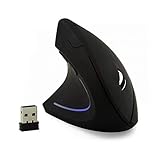
- Premium Choice: Wireless Mouse Ergonomic Vertical Left-Handed Mouse Ergo LED Light High Precision Optical Cordless Lightweight Left Hand Mice Women Men Gift for PC Computer Laptop Mac Office,1600 DPI,Side Buttons
Left-handed mouse users know the frustration of scrolling through endless “ambidextrous” options that are really just symmetric compromises. In 2026, the market for true left-handed ergonomic mice is small but solid, with a handful of manufacturers consistently building vertical and trackball designs specifically mirrored for left-hand use rather than slapping a lefty label on a generic shape.
We rounded up six of the best left-handed mice currently available, spanning vertical grips, trackballs, wired and wireless connections, and a range of hand sizes. Whether you’re managing wrist strain, recovering from an injury, or simply tired of right-handed defaults, one of these should fit your desk and your hand.
As an Amazon Associate we earn from qualifying purchases at no extra cost to you.



⚡ Save on Your Next PC — Amazon Prime
Prime members get fast free shipping on the systems above, plus early access to Prime Day & Black Friday PC deals. New members get a 30-day free trial.
Watch: Best Ergonomic Left-Handed Computer Mice for 2026 — Video Review
How to Choose
- Grip style: Vertical mice (like the Perixx PERIMICE-713L) keep your forearm in a neutral, handshake position, which reduces wrist pronation. Trackballs (like the ELECOM EX-G) eliminate arm movement entirely by letting your thumb do the work, which is better if shoulder or elbow strain is your main issue.
- Hand size fit: Most left-handed vertical mice are sized for medium to large hands. If you have smaller hands, look for a compact wired option like the SANWA, which is explicitly built for small and medium hands rather than scaled down from a large-hand shell.
- DPI range and switching: A adjustable DPI range (typically 800–1600) lets you match sensitivity to both detailed design work and fast navigation. Physical DPI buttons on top of the mouse are more useful day-to-day than software-only switching.
- Wired vs. wireless: Wireless models add convenience and reduce desk clutter, but check battery life and whether the mouse charges via USB-C or takes replaceable batteries. Wired models avoid battery anxiety entirely and are a safer bet for all-day heavy use.
- Button count and placement: Six-button layouts with thumb-accessible back/forward buttons are the sweet spot for browsing and light productivity work. Make sure the buttons are reachable without shifting your grip, since a button you have to stretch for defeats the ergonomic purpose.
The Best Picks Reviewed
Perixx PERIMICE-713L Wireless Vertical Mouse
The PERIMICE-713L is the most complete all-rounder on this list. Its vertical shape holds your hand at roughly a 45-degree angle to relieve wrist twisting, and the six-button layout includes forward/back buttons positioned right where your thumb naturally rests. Three-level DPI switching (800/1200/1600) makes it easy to jump between fine detail work and quick cursor travel across multiple monitors. It’s built for medium-sized hands, so if your hand is on the larger side, size up mentally before buying.
ELECOM EX-G Left-Handed Trackball Mouse
If arm fatigue rather than wrist angle is your issue, the EX-G trackball is worth the adjustment period. The 2.4GHz wireless connection is reliable at typical desk range, and the smooth tracking ball combined with a tilt-scroll wheel gives you precise control without moving your arm at all. Six programmable buttons let you assign shortcuts for whatever software you live in. It takes a week or two to build trackball muscle memory, but for chronic shoulder tension, it’s often the better long-term fix compared to any vertical mouse.
Wireless Ergonomic Vertical Mouse with LED Light
This budget-friendly vertical mouse covers the basics well: a 1600 DPI optical sensor, side buttons for back/forward navigation, and a lightweight cordless design that’s easy to toss in a laptop bag. The LED accent lighting is a nice touch but not the point, the real value here is offering a genuine left-handed vertical grip at a price well below the premium ergonomic brands. It’s a solid entry point if you’re not sure vertical mice will work for you yet.
SANWA Left-Hand Ergonomic Mouse
The SANWA is purpose-built for smaller and medium hands, a gap most vertical mice leave unfilled. It’s wired, which means no battery to manage and zero input lag, making it a dependable choice for precision tasks like photo editing or CAD work. The compact ergonomic curve supports your hand without the bulk of larger vertical designs, and the lower price makes it easy to try if you’re new to ergonomic mice.
Perixx Perimice-513L Wired Vertical Mouse
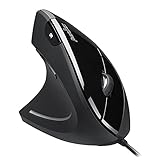
The 513L is the wired sibling to the 713L, and it undercuts the price while keeping the core ergonomics: a vertical grip, six buttons, and two-level DPI switching between 1000 and 1600. For an office setup where the mouse stays plugged in anyway, this is one of the best value picks for left-handed users who want a proper vertical shape without paying for wireless convenience they won’t use.
Frequently Asked Questions
Are vertical mice actually better for wrist pain?
For many users, yes. A vertical grip keeps the forearm in a neutral handshake position instead of the pronated (palm-down) position a standard mouse forces. This reduces strain on the tendons that run through the wrist, which is why vertical mice are frequently recommended alongside ergonomic keyboards for people managing early-stage RSI or carpal tunnel symptoms. That said, individual results vary, and severe or persistent pain should be evaluated by a doctor or occupational therapist.
How long does it take to adjust to a left-handed vertical mouse or trackball?
Most people need three to seven days of regular use to feel comfortable, and about two weeks to regain their normal speed and accuracy. Trackballs tend to have a slightly longer adjustment curve than vertical mice since the hand motion is more different from a standard mouse.
Do left-handed ergonomic mice work with both Mac and Windows?
Yes, all six mice in this roundup use standard HID drivers for basic functionality on macOS, Windows, and most Linux distributions. Extra features like programmable buttons or on-the-fly DPI memory may require manufacturer software, which is typically Windows-focused, so check compatibility if you rely on those extras on a Mac.
Is wireless lag noticeable on any of these mice?
The 2.4GHz wireless connections used here (as opposed to Bluetooth) are built for low-latency input and shouldn’t introduce noticeable lag in everyday productivity use. If you do competitive gaming or latency-sensitive work, a wired option like the SANWA or Perimice-513L removes any variable entirely.
Final Thoughts
For most left-handed users dealing with wrist strain, the Perixx PERIMICE-713L is the strongest all-around pick thanks to its comfortable vertical shape and wireless flexibility. If shoulder or arm fatigue is your bigger concern, the ELECOM EX-G trackball is worth the learning curve. And if you want proven ergonomics without the premium price, the Perixx Perimice-513L delivers the same core vertical design in a reliable wired form.
Related Reviews & Guides

Comparing Left-Handed Gaming Mice: Speed and Responsiveness

Left-Handed Kitchen Knives: Precision Cutting for Southpaws