Last Updated: October 8, 2026
A dedicated shipping label printer is the single upgrade that transforms a chaotic packing station into a smooth operation. If you are printing postage on regular paper and taping it to boxes, 2026 is the year to switch to a thermal machine that produces crisp, scannable 4×6 labels in seconds. This guide compares the best shipping label printers for home sellers, small businesses, and high-volume shippers alike.
As an Amazon Associate I earn from qualifying purchases.


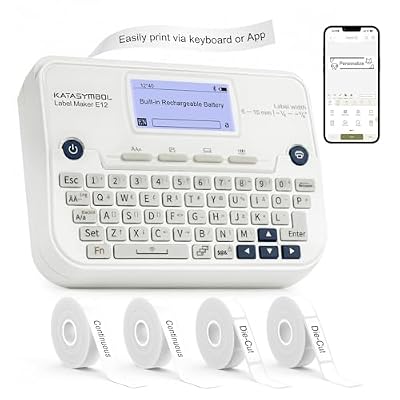

How We Ranked Each Shipping Label Printer
We evaluated print speed, connectivity, platform compatibility with carriers like USPS, UPS, and marketplaces such as Etsy and eBay, plus long-term running costs. The best shipping label printer prints direct thermal so you never buy ink, handles standard 4×6 rolls or fanfold stacks, and pairs painlessly with your existing shipping software. Here is the lineup at a glance.
| Product | Best For | Standout Feature | Rating |
|---|---|---|---|
| Rollo X1040 | Multi-platform sellers | Carrier-agnostic flexibility | 4.8/5 |
| MUNBYN RealWriter 941 | Budget-conscious shippers | Auto label detection | 4.6/5 |
| DYMO LabelWriter 5XL | Simple plug-and-play | Reliable USB workflow | 4.5/5 |
| Brother QL-1110NWB | Wireless offices | Wi-Fi and Bluetooth built in | 4.6/5 |
| Zebra ZD220 | High-volume warehouses | Commercial-grade durability | 4.7/5 |
Why a Thermal Shipping Label Printer Beats Ink
Direct thermal shipping label printers use heat-sensitive paper, so there is no ink, no toner, and no cartridges to replace. That means the only recurring cost is the label rolls themselves, which are inexpensive and widely available. Thermal printing is also faster, quieter, and produces sharper barcodes than inkjet on plain paper, reducing scan failures at the post office. If you are moving from taped printouts, our guide to setting up a home packing station pairs perfectly with any printer below.
The main decision is connectivity. USB models are dead simple and rock-solid for a single computer. Wireless printers let you print from a laptop, phone, or tablet anywhere on your network, which is ideal if your packing area moves around. Consider your daily volume too, since a hobby seller and a full-time store have very different needs. Our comparison of thermal versus inkjet label printing digs into the economics if you are still weighing options.
Rollo X1040 — Best Overall Shipping Label Printer
The Rollo is a seller favorite because it works with virtually every carrier and platform, printing sharp 4×6 labels at high speed. It accepts both roll and fanfold labels and rarely jams. Pros: carrier-agnostic, fast, reliable auto-detection. Cons: the newest wireless models cost more, and the mobile app experience is not quite as polished as the desktop workflow.
MUNBYN RealWriter 941 — Best Budget Shipping Label Printer
MUNBYN delivers most of the Rollo experience at a friendlier price, making it a smart entry point for new sellers. It automatically calibrates to your label size and prints clean, scannable barcodes. Pros: affordable, easy setup, good print quality. Cons: build quality feels a touch lighter than premium rivals, and driver installation can require a couple of extra steps on some systems.
DYMO LabelWriter 5XL — Best Plug-and-Play Option
For shippers who want zero fuss, the 5XL connects over USB and integrates directly with major shipping platforms and DYMO’s own software. It is a set-it-and-forget-it machine. Pros: dependable, wide software support, compact footprint. Cons: it uses DYMO’s proprietary die-cut labels rather than cheaper generic rolls, which raises the per-label cost over time.
Brother QL-1110NWB — Best Wireless Shipping Label Printer
The Brother QL-1110NWB adds Wi-Fi, Bluetooth, and Ethernet, so any device in your office can send it labels without cables. It prints up to roughly 4-inch-wide continuous or die-cut labels. Pros: flexible connectivity, sharp output, network-friendly. Cons: it uses Brother’s DK label system, and the widest labels are slightly under a true 4×6 unless you use continuous rolls.
Zebra ZD220 — Best for High Volume
Built for commercial use, the Zebra ZD220 handles heavy daily printing without breaking a sweat and is a common sight in warehouses. Its rugged construction outlasts consumer models. Pros: durable, fast, warehouse-proven reliability. Cons: setup is more technical, the software is aimed at businesses rather than casual sellers, and it is overkill for anyone shipping only a few packages a week.
iDPRT SP410 — Best Value Workhorse
The iDPRT SP410 is a quiet, dependable printer that balances price and performance for growing shops. It supports both roll and fanfold labels and calibrates quickly. Pros: reasonable price, sturdy feel, flexible label loading. Cons: it lacks wireless connectivity in the base model, so you will need to keep it tethered to a computer at your packing station.
Getting the Most from Your Shipping Label Printer
Buy quality 4×6 direct thermal labels and store them away from heat and sunlight to prevent premature darkening. Keep the print head clean with a wipe every few hundred labels to maintain crisp barcodes, and always calibrate after switching label sizes. If you sell across multiple channels, our overview of syncing shipping software with your printer saves hours each week, while our guide to buying 4×6 thermal labels in bulk helps you cut supply costs. For sellers scaling up, the tips in our small-business fulfillment workflow pair naturally with any machine on this list.
Frequently Asked Questions
Do I need special labels for a thermal shipping label printer?
Yes, thermal shipping label printers require direct thermal labels, which are coated to darken when heated, rather than standard paper. Most home and small-business printers use the popular 4×6 size in either roll or fanfold form. Always match the label dimensions and core size to your specific printer to avoid feed and calibration problems.
Can a shipping label printer work with USPS, UPS, and marketplaces?
Most modern thermal shipping label printers are carrier-agnostic, meaning they print labels generated by USPS, UPS, FedEx, and marketplaces like eBay, Etsy, and Amazon. As long as your shipping software can export a 4×6 label, the printer can produce it. Carrier-agnostic models like the Rollo offer the widest compatibility across platforms.
How much do thermal shipping labels cost to run?
Because direct thermal printers use no ink or toner, your only ongoing cost is the label rolls themselves, which are inexpensive when bought in bulk. This makes thermal printing significantly cheaper over time than inkjet or laser printing on adhesive sheets, especially for anyone shipping dozens or hundreds of packages every month.
Is a wireless shipping label printer worth the extra cost?
A wireless printer is worth it if you print from multiple devices or want the freedom to place your printer away from your computer. For a single fixed workstation, a reliable USB model is cheaper and equally effective. Consider your workflow flexibility and how many people or devices need printing access before deciding.
Related Reviews & Guides

6 Best Left-Handed Scissors 2026

6 Best Ladies Left Handed Golf Clubs Second Hands 2026