Last Updated: October 8, 2026
- Top Pick: AEGIVIXE Magnetic 27 inch Privacy Screen for Monitor Frameless/Thin Bezel Computer 16:9 Aspect Ratio, Hanging Anti Blue Light Shield Eye Protection, 27in Removable Anti-Impact Privacy Protector Film
- Best Value: [2-Pack] 24 Inch Privacy Screen for Computer Monitor Hanging Removable 16:9
- Premium Choice: Peslv 2-Pack 24 Inch 16:9 Computer Monitor Privacy Screen, WxH:532 * 299mm
The best gaming monitor privacy screens are removable micro-louver filters sized exactly to your display, with a 60-degree or narrower viewing angle, matte glare control, and a mounting method that does not interfere with a high-refresh monitor’s bezel or webcam.
As an Amazon Associate we earn from qualifying purchases at no extra cost to you.
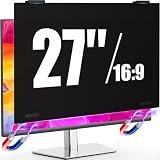
![[2-Pack] 24 Inch Privacy Screen for Computer Monitor Hanging Removable 16:9](https://m.media-amazon.com/images/I/41myUlG2izL._SL160_.jpg)

![[2 Pack] Computer Privacy Screen 27 Inch for 16:9 Widescreen Monitor](https://m.media-amazon.com/images/I/41RhurG26LL._SL160_.jpg)
Best gaming monitor privacy screens by situation
| Situation | Best choice | Why it fits | Typical market range |
|---|---|---|---|
| Shared room or open office | Two-way privacy filter, 27-inch matte model | Blocks side views while preserving a clear straight-on image | $35–$75 |
| Competitive gaming at 144–360 Hz | Thin, reversible filter with low-haze coating | Passive optical film does not limit refresh rate or add input lag | $45–$100 |
| Occasional privacy at home | Removable tab-mounted filter | Easy to take off for films, colour-sensitive work, or guests | $25–$60 |
| Curved gaming monitor | Purpose-built curved filter, if available | Flat filters can lift at the edges and create reflections | $60–$130 |
| Bright desk near a window | Matte anti-glare privacy filter | Reduces mirror-like reflections better than a glossy filter | $40–$90 |
What to compare before buying
1. Viewing-angle reduction
Privacy screens use micro-louvers: narrow vertical structures that allow light to pass toward the person sitting in front of the display while restricting light travelling sideways. A common specification is a total viewing angle of about 60 degrees, or approximately 30 degrees to either side of the centre line. Narrower models may restrict the usable area to roughly 45 degrees total.
A 60-degree filter is usually the better gaming compromise. It hides most text and game detail from someone sitting beside you without making small movements at your desk frustrating. A 45-degree filter offers stronger privacy, but the picture can darken or become uneven when you lean away from centre. For a two-player setup or a monitor that people regularly watch from the side, a privacy filter may be the wrong tool.
Check whether the manufacturer describes the angle as a total angle or an angle on each side. “30 degrees” can mean 30 degrees from the centre, producing a 60-degree total field, or it can describe the entire visible field. The wording matters.
2. Exact screen-size fit
Screen size alone is not enough. A 27-inch 16:9 monitor commonly measures about 23.5 inches wide by 13.2 inches tall, but bezels, mounting lips, and the actual viewable area vary. A 24-inch 16:9 panel is approximately 20.9 by 11.8 inches, while a 32-inch 16:9 panel is approximately 27.9 by 15.7 inches.
Measure the visible panel rather than copying the diagonal number from the monitor box. Also record:
- Visible width and height in millimetres.
- Aspect ratio, such as 16:9, 16:10, 21:9, or 32:9.
- Flat or curved construction.
- Bezel width and whether the screen is recessed.
- Locations of the webcam, ambient-light sensor, speakers, or controls.
For a 16:9 screen, calculate the expected panel dimensions from the diagonal if necessary. With a 27-inch diagonal, width is approximately 27 × 16 ÷ 18.36, or 23.5 inches. Height is approximately 27 × 9 ÷ 18.36, or 13.2 inches. Use the result as a check, not as a replacement for measuring the physical panel.
3. Image clarity, brightness, and colour
Every privacy filter changes the optical path. A good one should preserve readable text and sharp UI elements when viewed directly, but it may reduce brightness, contrast, or perceived clarity. Haze is especially noticeable on high-resolution 1440p and 4K monitors, where fine text and distant game detail are part of the appeal.
Look for a stated haze value, ideally around 3% or lower for a gaming-focused filter. Higher-haze matte films hide reflections effectively but can give white text a slightly grainy appearance. A reversible filter can be useful: the matte side controls reflections, while the glossy side may look brighter in a controlled room.
Privacy films can also make a monitor appear darker. Plan to raise brightness modestly, but do not assume maximum brightness will restore the original image. Excessive brightness can make dark-room gaming uncomfortable and can exaggerate reflections around the filter’s edges.
4. Refresh-rate compatibility
A conventional privacy screen is passive. It sits in front of the panel and does not connect to DisplayPort, HDMI, USB, or power, so it does not impose a refresh-rate ceiling and does not add electronic input lag. A 240 Hz monitor remains a 240 Hz monitor from the graphics card’s perspective.
The practical issue is optical, not electronic. Reduced brightness, internal reflections, and lower perceived sharpness can make fast motion harder to read. For competitive play, choose the thinnest low-haze filter that provides enough privacy, and avoid stacking it with a separate screen protector or tinted film.
Be cautious with filters marketed as “blue-light” or “gaming” products when they do not clearly state their privacy angle, dimensions, and optical characteristics. A colour tint is not the same thing as side-view protection.
5. Mounting method
There are three common mounting approaches:
- Adhesive tabs: Small clear tabs attach to the bezel, allowing the filter to slide in and out. They are inexpensive and convenient, but repeated removal can loosen the tabs or leave residue.
- Hanging strips: The filter rests on the top edge and is held by strips or clips. This is usually the best balance for a monitor used both for gaming and shared viewing.
- Permanent adhesive: The filter bonds directly to the display area. It is stable, but alignment is difficult and removal may damage an anti-reflective coating.
For a narrow-bezel gaming monitor, hanging strips or a custom clip system are safer than adhesive placed across the active display. Confirm that the mount leaves ventilation openings clear and does not press buttons, a pop-up webcam, or a curved panel.
Flat versus curved gaming monitors
Flat filters are widely available for 24-, 27-, and 32-inch 16:9 monitors. Ultrawide and curved models are harder to match because the filter must either follow the curve or sit far enough forward that its edges lift away from the panel. That gap can produce bright reflections and visible dust.
Do not bend a rigid privacy filter to force it onto a curved display. Stress can create permanent optical distortion, and pressure against the panel can cause uneven contact. If a compatible curved model cannot be found, a clip-on filter mounted slightly in front of the monitor is safer, although it may look less tidy and collect dust more quickly.
Glare control: matte is not always better
A matte filter diffuses reflections from windows and lamps, which is valuable for a bright desk. The trade-off is a small loss of crispness caused by scattered light. A glossy filter generally preserves a cleaner-looking image in a controlled room but can reflect a window directly into your eyes.
Before choosing, identify the main light source. If a window is behind or beside the monitor, select matte and reposition the screen so the window is not reflected straight back at you. If the room is dim and image clarity is the priority, a low-haze reversible filter may be preferable.
Ownership realities and maintenance
The first things that usually deteriorate are adhesive tabs, edge coatings, and the filter surface—not the micro-louver structure itself. Sliding a filter in and out by one corner can flex it and cause edge separation. Store a removed filter vertically in its sleeve or between clean, soft sheets; do not place heavy objects on it.
Clean it with a blower or soft microfiber cloth first. If needed, lightly dampen the cloth with distilled water. Avoid spraying cleaner directly onto the screen, using paper towels, or applying ammonia, alcohol, abrasive compounds, or household glass cleaner unless the filter maker specifically approves them. Liquids can enter the louver structure and leave permanent patches.
Expect a privacy filter to last several years when it remains mounted and is cleaned gently. A heavily used removable filter may need replacement sooner if its tabs stop gripping, its surface develops scratches, or its edges no longer sit flat.
Bottom line
For most people, the best gaming monitor privacy screen is a correctly measured matte or reversible 27-inch 16:9 filter with a 60-degree total viewing angle, low haze, and removable hanging or tab mounts. Choose a narrower-angle model only when side privacy matters more than freedom of movement, and choose a purpose-built curved filter rather than forcing a flat one onto a curved panel. The right product protects the image from side views without undermining the brightness, sharpness, and refresh-rate advantages you bought the gaming monitor to deliver.
Related Reviews & Guides




Why You Can Buy With Confidence: How We Test and Choose Our Top Why T
Best GPUs for Gaming, Editing, and AI