Last Updated: October 11, 2026
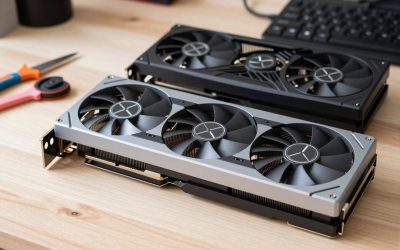
- Top Pick: ASRock Intel Arc B570 Challenger 10GB OC GDDR6 Graphics Card, 2600 MHz GPU, 19 Gbps Memory, Dual Fan, Metal Backplate, HDMI 2.1a, DisplayPort 2.1, 0dB Cooling
- Best Value: Sparkle Intel Arc A310 Omni View, 4GB GDDR6, 4X HDMI, 50W TBP, Single Fan, Single Slot, SA310F-4G
- Premium Choice: AMD Radeon™ Pro W7900, Professional Graphics Card, Workstation, AI, 3D Rendering, 48GB GDDR6, AV1, 61 TFLOPS, 96CUS, 295W TDP, 8K, 1x Mini DisplayPort, 3 x DisplayPort™ 2.1
For most streamers, the best graphics card with AV1 encoding is the NVIDIA GeForce RTX 4070 Super for its strong gaming performance and mature streaming software; AMD’s Radeon RX 7800 XT is a better-value pick when you want 16GB of VRAM, while Intel’s Arc B580 is the budget choice if its software and game compatibility suit your setup. The right option depends on more than whether a card can encode AV1: compare stream quality at your target bitrate, encoding speed, gaming headroom, power use, and the apps you rely on.
As an Amazon Associate we earn from qualifying purchases at no extra cost to you.


Best graphics cards with AV1 encoding: quick comparison
| Graphics card | AV1 encoding | VRAM | Typical board power | Best fit |
|---|---|---|---|---|
| NVIDIA GeForce RTX 4070 Super | Hardware AV1 encode; NVIDIA NVENC support | 12GB GDDR6X | 220W | Balanced gaming and streaming |
| AMD Radeon RX 7800 XT | Hardware AV1 encode; AMD AMF support | 16GB GDDR6 | 263W | More VRAM for the money |
| Intel Arc B580 | Hardware AV1 encode; Intel media engine | 12GB GDDR6 | 190W | Budget gaming and streaming |
| NVIDIA GeForce RTX 4060 | Hardware AV1 encode; NVIDIA NVENC support | 8GB GDDR6 | 115W | Low-power, compact builds |
| AMD Radeon RX 7900 XTX | Hardware AV1 encode; AMD AMF support | 24GB GDDR6 | 355W | High-end gaming and creator workloads |
Power figures are reference specifications; partner cards can vary. Encoding support does not guarantee that every app, platform, or streaming service will accept AV1 in every workflow. Check your destination’s current upload requirements before buying.
Which card should you choose?
Best all-rounder: GeForce RTX 4070 Super
The RTX 4070 Super is the safest recommendation for someone who streams games and wants a capable GPU without moving into flagship power use. NVIDIA’s NVENC encoder is widely integrated into streaming and recording software, and the card has enough gaming performance for high-refresh 1440p in many titles. Its 12GB of VRAM is adequate for most current gaming-and-streaming setups, though it gives less room than 16GB or 24GB cards for unusually demanding games, high-resolution texture packs, or large creator projects.
Choose it if smooth setup and broad software support matter as much as raw value. Look at the RTX 4070 Super’s market price against newer or faster alternatives before purchasing; a large price premium can make a higher-tier or competing card a better deal.
Best value with extra memory: Radeon RX 7800 XT
The RX 7800 XT pairs AV1 encoding with 16GB of VRAM and strong 1440p gaming performance. That larger memory pool can help if you keep games, browser sources, and editing tools open together or use memory-heavy settings. AMD’s AMF encoder works in popular creator applications, but setup details and feature parity can differ from NVIDIA’s NVENC path, so confirm that your preferred software exposes the controls you need.
It draws more power than the RTX 4070 Super, so factor in electricity use, cooling, and your power supply—not just the purchase price. It is a good choice when the price is attractive and the extra VRAM is more valuable to you than NVIDIA’s broader streaming familiarity.
Best lower-cost option: Intel Arc B580
The Arc B580 offers AV1 encoding and 12GB of VRAM at a lower market tier than the cards above. It can make a sensible streaming-and-gaming build when budget is the primary constraint and your games perform well on Intel’s drivers. Performance can vary more by game and system configuration than with established higher-end alternatives; Resizable BAR support is especially important for Arc performance.
Before choosing it as your only GPU, check benchmarks for the specific games you play and confirm your capture, editing, and streaming apps support Intel’s encoding path. The B580’s value is strongest when you are comfortable checking compatibility rather than expecting every setup to work identically.
Best for a compact or power-conscious PC: GeForce RTX 4060
At 115W, the RTX 4060 is easier to cool and fit into many modest systems than the higher-power cards here. It supports AV1 encoding and benefits from NVENC’s broad software adoption. Its main compromise is 8GB of VRAM, which can limit settings in newer games and leave less headroom for simultaneous gaming, streaming, and background applications.
Pick it for a smaller build, lower power draw, or a 1080p-focused setup—not as a future-proof high-resolution gaming card. Compare its price carefully with faster models; a small savings may not justify the performance and memory trade-off.
Best high-end choice: Radeon RX 7900 XTX
The RX 7900 XTX combines AV1 encoding with 24GB of VRAM and high-end gaming capability. It suits people who want one card for demanding games, high-resolution work, and memory-intensive creator tasks. It is not automatically the best streaming value: at 355W, it needs a capable power supply and case airflow, and its higher cost is difficult to justify if AV1 streaming is its main job.
AV1 quality and speed: what matters in practice
AV1 is a modern video codec that can deliver good visual quality at relatively low bitrates, but the label alone does not tell you which card produces the best-looking stream. Results depend on encoder generation, quality preset, bitrate, frame rate, game motion, and the streaming or recording application. At typical live-stream bitrates, fast movement, foliage, particles, and dark gradients are useful places to compare image quality.
Hardware encoding is designed to keep video work off the CPU. In a gaming stream, that can help preserve CPU headroom, but the encoder still uses GPU resources and may slightly affect performance. A faster card does not necessarily produce a better AV1 image at the same settings. For an apples-to-apples comparison, use the same resolution, frame rate, bitrate, preset, and test scene, then inspect a local recording rather than relying only on a live preview.
Software support can decide the purchase. OBS Studio supports hardware encoders from major GPU vendors, but available controls and platform options depend on the app version, operating system, driver, and streaming destination. AV1 also needs to be supported by the service and viewer playback path; where it is not, you may need to select another codec.
Choose by your actual use
| Your situation | Shortlist | Why | Check before buying |
|---|---|---|---|
| First gaming-streaming PC, moderate budget | RTX 4070 Super or RX 7800 XT | Strong gaming performance with AV1 and enough memory for typical use | Current price, power supply, preferred encoder workflow |
| Tight budget, willing to troubleshoot | Arc B580 | AV1 and 12GB VRAM at a lower price tier | Game-specific performance, Resizable BAR, app compatibility |
| Small case or low power limit | RTX 4060 | Low 115W reference board power and widely supported encoding | Card dimensions, 8GB VRAM limits, price versus faster options |
| High-resolution gaming and memory-heavy creation | RX 7900 XTX | 24GB VRAM and high-end rendering performance | Case cooling, power supply, whether you need that much GPU |
Don’t overlook power, cooling, and setup
Board power is a useful planning figure, not a guarantee of real-world consumption. Gaming load, card design, system components, and power limits all matter. Leave room in your power supply capacity and check the manufacturer’s connector and case-clearance requirements for the exact card model. A compact card may still run warm in a poorly ventilated case, while a high-power model can add noticeable heat and fan noise during long sessions.
After installation, update the GPU driver and streaming software, select the hardware AV1 encoder, and make a short test recording at your intended resolution and bitrate. Check for dropped frames, encoder overload, and playback compatibility before going live. Keep enough free storage for recordings, and avoid assuming that an AV1 file will play smoothly on every older device or editing workflow.
Bottom line
For a reliable mix of gaming, AV1 streaming, and software support, start with the GeForce RTX 4070 Super. Choose the Radeon RX 7800 XT if 16GB of VRAM and a better price matter more, or the Intel Arc B580 if you want to spend less and have checked compatibility. A low-power RTX 4060 fits compact builds, while the RX 7900 XTX is for buyers who can use its high-end performance and 24GB memory beyond streaming alone.
Related Reviews & Guides




Why You Can Buy With Confidence: How We Test and Choose Our Top Why T

Best All-Terrain Electric Wheelchairs for Adults