Last Updated: October 8, 2026
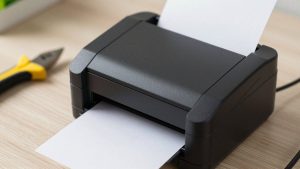
Stepping up from a handheld label maker to a label printer for beginners opens the door to faster, higher-volume labeling for shipping, inventory, and organization. The trick is finding a machine that connects easily to your computer or phone, prints without ink, and does not overwhelm you with complicated software. This 2026 guide highlights the most beginner-friendly label printers and explains what a first-time buyer should prioritize.
As an Amazon Associate I earn from qualifying purchases.



How We Picked the Best Label Printer for Beginners
We focused on setup simplicity, plug-and-play connectivity, ink-free thermal printing, and broad software compatibility so newcomers can start printing quickly. The best label printer for beginners calibrates automatically, works with common label sizes, and integrates with the platforms people already use. Here is a quick comparison of our top beginner-friendly picks.
| Product | Best For | Standout Feature | Rating |
|---|---|---|---|
| Rollo X1040 | Easy multi-platform shipping | Works with everything | 4.8/5 |
| MUNBYN RealWriter 941 | Budget first printer | Auto label calibration | 4.6/5 |
| DYMO LabelWriter 550 | Simple desktop labeling | True plug-and-play setup | 4.5/5 |
| Phomemo M110 | Phone-only beginners | Beginner-friendly Bluetooth app | 4.4/5 |
| Brother QL-800 | Home office starters | Two-color thermal option | 4.6/5 |
What a Beginner Should Look for in a Label Printer
The most beginner-friendly label printers use direct thermal technology, which means no ink, toner, or ribbons to buy or install, dramatically simplifying setup and upkeep. Automatic label calibration is another must-have, sparing newcomers the frustration of manual alignment. Look for a printer that connects the way you prefer, whether over USB for a fixed desk or wirelessly for flexibility. Our guide to thermal printing basics for newcomers explains why ink-free machines are ideal for beginners.
Software compatibility can make or break the beginner experience. Carrier-agnostic printers work with USPS, UPS, and marketplaces like Etsy and eBay without fuss, while some brands lock you into proprietary apps. If you plan to sell online, a flexible printer saves headaches. Our comparison of USB versus wireless label printers helps you match connectivity to your setup before you buy.
Rollo X1040 — Best Overall for Beginners
The Rollo is famously easy to start with, working across nearly every shipping platform and printing crisp 4×6 labels without complicated setup. It auto-detects label sizes. Pros: universal compatibility, fast, beginner-friendly. Cons: the newest wireless versions cost more, and you will want a label holder or stand to feed fanfold stacks neatly, which adds a small extra purchase.
MUNBYN RealWriter 941 — Best Budget Beginner Printer
MUNBYN offers a gentle entry price with automatic calibration and clean output, making it a smart first thermal printer. It is forgiving for people still learning. Pros: affordable, easy calibration, good print quality. Cons: the housing feels lighter than premium units, and installing the driver can take a couple of extra steps depending on your operating system, so follow the setup guide carefully.
DYMO LabelWriter 550 — Best Plug-and-Play Option
For beginners who want to plug in and go, the LabelWriter 550 connects over USB and pairs with DYMO’s straightforward software for addresses, barcodes, and file labels. Pros: dependable, simple software, compact. Cons: it uses DYMO’s proprietary die-cut labels rather than cheaper generic rolls, raising the per-label cost, and it is tethered to a computer rather than offering wireless freedom.
Phomemo M110 — Best for Phone-Only Beginners
The pocket-sized M110 prints small labels straight from a beginner-friendly Bluetooth app, perfect for organizing and price tags without a computer. Pros: portable, easy app, no cables. Cons: it handles only narrow labels, not standard 4×6 shipping sizes, so it works best as a companion for organizing tasks rather than a primary shipping printer for an online store.
Brother QL-800 — Best Home Office Starter
The QL-800 is an approachable desktop printer with USB connectivity and a unique two-color thermal option that adds red without ink. It suits home office labeling. Pros: reliable, two-color feature, sharp text. Cons: it uses Brother’s DK label system rather than generic rolls, and the base model is USB-only, so wireless flexibility requires stepping up to a pricier model.
iDPRT SP410 — Best Value Beginner Workhorse
The iDPRT SP410 balances a friendly price with dependable performance, calibrating quickly and accepting both roll and fanfold labels. It grows with a new seller. Pros: affordable, sturdy, flexible loading. Cons: the base model lacks wireless connectivity, keeping it tethered to a computer, and the included software is functional but less polished than some competitors, so expect a short learning curve.
Getting Started with Your First Label Printer
Start by printing a test label to confirm alignment before running a batch, and store your thermal labels away from heat and sunlight so they do not darken prematurely. Learn to clean the print head with an alcohol wipe to keep barcodes sharp. To connect everything smoothly, our beginner guide to shipping software setup walks through the first steps, while our 4×6 thermal label buying guide helps you stock supplies. If you are torn between machine types, our label maker versus label printer comparison clarifies which you actually need.
Frequently Asked Questions
What is the easiest label printer for beginners?
The Rollo X1040 is widely considered one of the easiest for beginners because it works with nearly every shipping platform, auto-detects label sizes, and requires no ink. For non-shipping tasks, a plug-and-play DYMO or a phone-app Phomemo is very approachable. The easiest choice depends on whether you are shipping packages or organizing at home.
Do beginner label printers need ink or toner?
Most beginner-friendly label printers use direct thermal printing, which creates images with heat and requires no ink, toner, or ribbon. This makes setup and maintenance much simpler and cheaper, since your only ongoing cost is the label rolls. Ink-free operation is one of the main reasons thermal printers are ideal for first-time buyers.
Should a beginner choose USB or wireless connectivity?
USB models are the simplest to set up and rock-solid for a single fixed workstation, making them great for beginners who want reliability. Wireless printers add flexibility to print from phones or multiple devices but can involve a slightly more involved setup. Consider whether you need mobility or prefer a straightforward, cable-connected desk arrangement.
Is a label printer better than a label maker for beginners?
It depends on your goal. A label printer excels at high-volume tasks like shipping and inventory, printing many labels quickly from a computer or phone. A handheld label maker is better for small organizing jobs and durable laminated tape. Beginners who ship packages should choose a label printer, while home organizers may prefer a label maker.
Related Reviews & Guides

6 Best Left Handed 7 String Guitars 2026
Best CPU Motherboard Combo for Video Editing Picks