Last Updated: October 18, 2026
- Two Approaches: Switch Hands or Stay Put
- How to Swap Mouse Buttons
- Choosing the Right Mouse Shape
- Ergonomics: Protecting Your Wrist and Hand
- Gaming Considerations for Lefties
- Keyboard Shortcuts and the Left Hand
- Touchpads, Tablets, and Touchscreens
- Putting It All Together
- Top-Rated Picks
- Frequently Asked Questions
- Conclusion
- Related Articles
⚡ Key Takeaways
- Left-handers at a computer generally fall into two camps, and both are valid.
- If you move the mouse to your left, swapping the primary and secondary buttons makes clicking feel natural.
- Mouse ergonomics matter more than most people realize.
- A left-handed setup is also a chance to fix posture habits that cause strain.
If you are a left-hander who spends hours at a computer, you have probably accepted a quiet daily compromise: the mouse sits on the right, designed for a hand that is not your dominant one. Dialing in a proper left-handed mouse setup is one of the simplest, most impactful ergonomic upgrades a lefty can make, and it takes only a few minutes. Whether you want to move the mouse to your left hand entirely, swap the buttons, or choose a mouse shaped to fit your hand, this guide covers every option and the trade-offs of each.
As an Amazon Associate we earn from qualifying purchases at no extra cost to you.



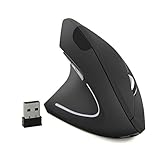
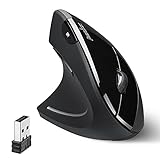


Comfort, speed, and long-term joint health all improve when your pointing device finally cooperates with your dominant hand.
🛒 Best Price Today on Amazon
Prime members get fast, free shipping on everything above, plus member-only deals. New members get a 30-day free trial — cancel anytime.
Two Approaches: Switch Hands or Stay Put
Left-handers at a computer generally fall into two camps, and both are valid.
Approach 1: Move the Mouse to the Left
This is the most natural choice for many lefties. You place the mouse on the left side of the keyboard and operate it with your dominant hand. The main task is swapping the mouse buttons in software so your index finger handles the primary click, just as a right-hander’s index finger does on the right.
Approach 2: Keep the Mouse on the Right
Some lefties have used the right-side mouse for so long that their right hand has become genuinely competent at it. There is nothing wrong with this. Keeping the mouse on the right frees your dominant left hand for writing and shortcuts. Many lefties end up partially ambidextrous at the computer for exactly this reason. If this is you, you may not need to change anything at all.
| Approach | Pros | Cons |
|---|---|---|
| Mouse on left | Dominant hand control, better precision | Requires button swap, shared computers feel odd |
| Mouse on right | No changes needed, left hand free for notes | Non-dominant hand does the pointing |
How to Swap Mouse Buttons
If you move the mouse to your left, swapping the primary and secondary buttons makes clicking feel natural. Here is how on the two major systems.
On Windows
- Open Settings.
- Go to Bluetooth and devices, then Mouse.
- Find Primary mouse button and change it from “Left” to “Right.”
- Your index finger now performs the main click on the left-positioned mouse.
On macOS
- Open System Settings.
- Click Mouse.
- Set the secondary click to the appropriate side so your primary click lands under your index finger.
Choosing the Right Mouse Shape
Mouse ergonomics matter more than most people realize. Many “ergonomic” mice are sculpted specifically for the right hand, curving to fill a right palm. For a left-hander, those contours fight your grip. Your options:
- Symmetrical (ambidextrous) mice: The safest choice for lefties. Their mirror-image shape fits either hand equally, and you simply swap the buttons in software.
- Left-handed ergonomic mice: A smaller category, but these are sculpted specifically for the left palm and can be very comfortable.
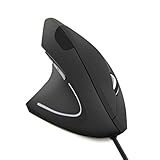
- Vertical mice: Designed to reduce wrist twist for everyone; choose a left-handed or symmetrical version.
- Trackballs: A good neutral option since you move a ball rather than the whole device, reducing handedness bias.
Ergonomics: Protecting Your Wrist and Hand
A left-handed setup is also a chance to fix posture habits that cause strain. Good mouse ergonomics apply to either hand:
- Keep your wrist neutral, not bent up, down, or sideways.
- Move from the elbow, not just the wrist, for larger movements.
- Use a wrist rest on the left where your mouse now sits.
- Keep the mouse close to the keyboard so you are not over-reaching.
- Adjust pointer speed so you cover the screen without excessive arm movement.
Gaming Considerations for Lefties
Gaming adds a wrinkle. Most games assume a right-handed mouse and left-handed keyboard (WASD) setup. Left-handed gamers often keep the mouse on the right out of habit and convention, or remap movement keys to the numpad so they can mouse with the left hand. Many gaming mice also place extra buttons for a right thumb, so if you mouse left-handed, look for a symmetrical gaming mouse with buttons on both sides.
Keyboard Shortcuts and the Left Hand
If you move your mouse to the left, your right hand becomes free, and that opens an opportunity many lefties overlook. With the mouse on the left, you can dedicate your right hand to the keyboard’s shortcut clusters, copying, pasting, and undoing without ever lifting your mouse hand. This mirrors the efficient workflow right-handers have always enjoyed, where one hand stays on the mouse while the other handles shortcuts. Setting this up can genuinely speed up everyday tasks once the muscle memory settles in.
Conversely, if you keep the mouse on the right, your dominant left hand naturally falls over the main shortcut keys, which is its own advantage. Either way, the key insight is to notice which hand is free and deliberately assign it the supporting role rather than letting both hands crowd the same side. A few minutes of intentional setup turns an awkward arrangement into a smooth two-handed rhythm.
Touchpads, Tablets, and Touchscreens
The mouse is not the only pointing device a modern lefty deals with. Laptop touchpads are usually centered, which is mercifully neutral, but their button behavior and gesture settings can still be swapped to suit a left hand in the same way as a mouse. If you use a drawing tablet or a stylus, check the device software, because many tablets let you rotate the active area and relocate the express keys to the opposite side so they do not sit under your drawing hand.
Touchscreens present a subtler issue. On phones and tablets, your left hand may obscure parts of the screen or trigger edge gestures differently than a right hand would. Most operating systems offer one-handed modes and reachability features that help. The broader lesson is the same across all these devices: nearly every modern interface has accessibility or handedness settings tucked away somewhere, and a few minutes exploring them usually reveals an option that makes the device fit your left hand better.
Putting It All Together
For most left-handers, the ideal setup is a symmetrical mouse positioned to the left of the keyboard with the buttons swapped in software, paired with neutral-wrist ergonomics. If you have long since adapted to a right-side mouse, there is no need to force a change. The goal is comfort and reduced strain, not adherence to a rule.
A mouse is just one piece of a comfortable lefty workspace. For the full picture, including where to place your monitor, lamp, and supplies, see our guide to the best left-handed desks, and keep a quick-dry left-handed pen nearby for smudge-free notes.
Top-Rated Picks




| Product | Brand | Rating | Reviews | Price |
|---|---|---|---|---|
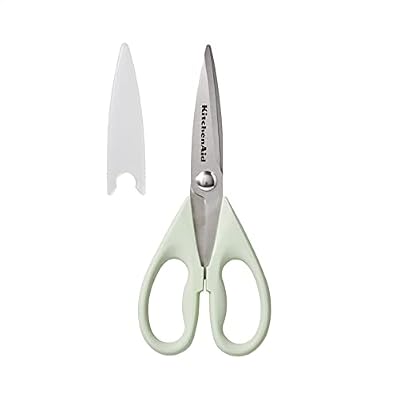
| KitchenAid All Purpose Kitchen Shears with Protective… | — | ★ 4.8 | 70.9k | $7.59 |
| KitchenAid All Purpose Kitchen Shears with Protective… | — | ★ 4.8 | 70.9k | $10.99 |
| KitchenAid All Purpose Kitchen Shears with Protective… | — | ★ 4.8 | 70.9k | $13.99 |
| Bostitch Office Premium 3 Hole Punch, 12 Sheet Capaci… | BostitchOfficeProducts | ★ 4.7 | 64.4k | $12.99 |
| 3M Littmann Classic III Monitoring Stethoscope, 5910C… | Littmann®Stethoscopes | ★ 4.8 | 50k | $112.16 |
Frequently Asked Questions
Should left-handed people use the mouse with their left hand?
It depends. Using your dominant left hand gives better precision and frees your right, but many lefties have adapted to a right-side mouse over the years. Both setups are valid; choose whichever feels most comfortable.
How do I swap the mouse buttons for left-handed use?
On Windows, go to Settings, then Bluetooth and devices, then Mouse, and set the primary button to “Right.” On macOS, open System Settings, then Mouse, and adjust the secondary click side. This puts the main click under your index finger.
What is the best mouse for left-handers?
A symmetrical (ambidextrous) mouse is usually best because its shape fits either hand. Dedicated left-handed ergonomic mice and vertical mice are also good options for reducing strain.
Why do my hands hurt when using the mouse?
Often it is a right-sculpted mouse forcing an awkward grip, plus a bent wrist. Switch to a symmetrical mouse, keep your wrist neutral, move from the elbow, and use a wrist rest to reduce strain.
Can I use a right-handed ergonomic mouse left-handed?
Not comfortably. Right-handed ergonomic mice are sculpted for the right palm, so the contours fight a left-handed grip. Choose a symmetrical or left-handed model instead.
Conclusion
Setting up a computer mouse for left-handed use is quick and genuinely rewarding. Decide whether to move the mouse to your dominant left hand or keep it on the right, swap the buttons in software if you switch sides, and choose a symmetrical or left-handed mouse shape with good wrist ergonomics. A few minutes of setup pays off in comfort and reduced strain every time you sit down at your desk.
Related Reviews & Guides





Why Are Left-Handers Rare? The Science Explained

Common Struggles of Being Left-Handed (and Fixes)